Collecting Your Prescription
You will need to choose a pharmacy to collect your prescription from. We call this nominating a pharmacy.
You can change your nominated pharmacy at any time:
- on the NHS App or website where you order repeat prescriptions
- at your GP practice
- at any pharmacy that accepts repeat prescriptions
If you have ordered via the NHS App or Online account:
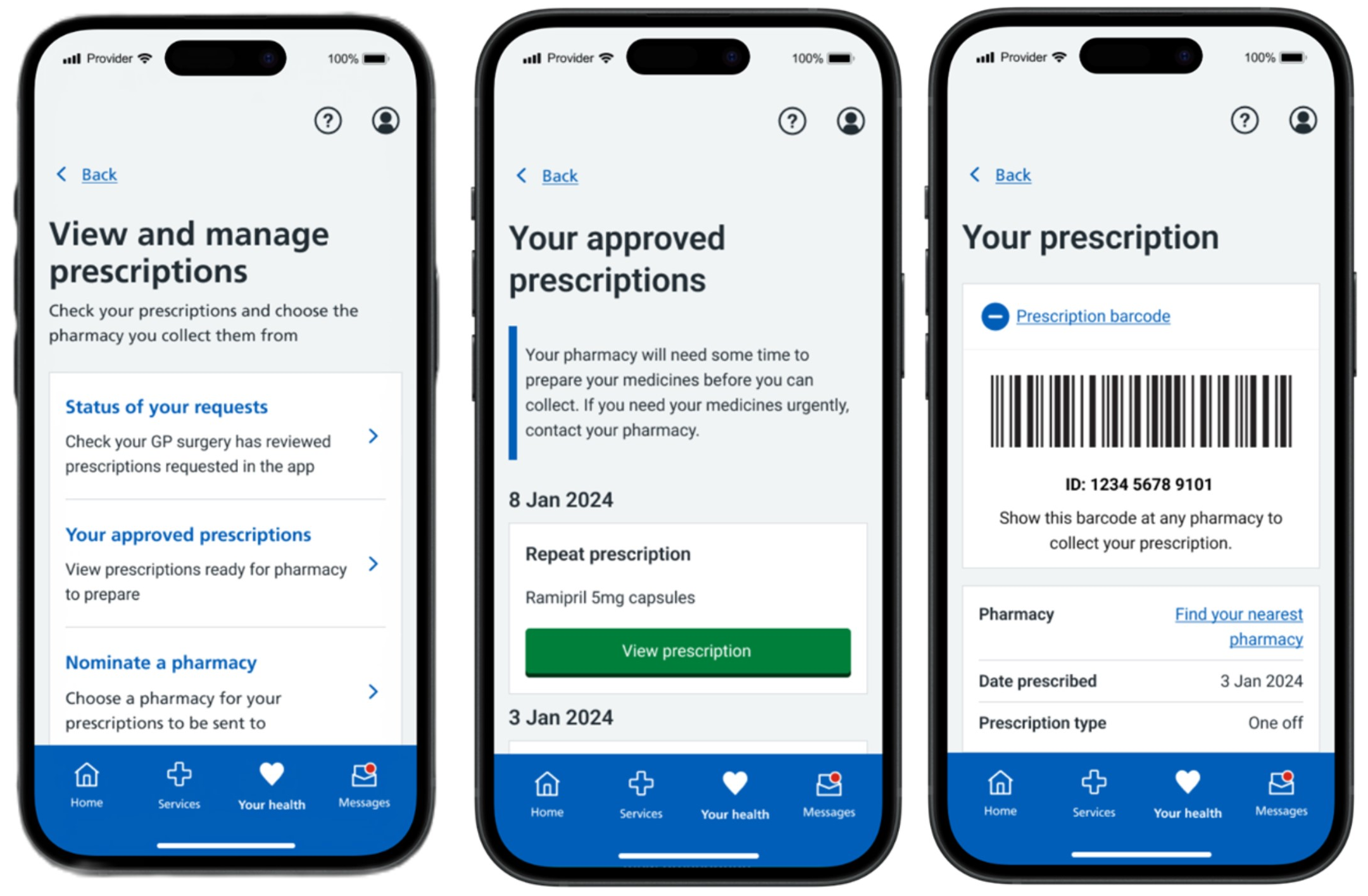
- Login to the NHS App
- Go to 'View and manage prescriptions'
- View 'Your approved prescriptions'
- Check if it shows as:
- Requested
- Approved
- Rejected
Once the prescription has been issued, please a barcode is linked to the medications approved. Please use the following leaflet on Digital PRescription Barcodes and the NHS App: Digital Prescription Barcodes and NHS App.pdf
We are unable to provide updates on prescription status by telephone. Please use the NHS App or contact your pharmacy once 2–3 working days have passed.
Click here for more information on viewing the status of medications
Page last reviewed: 22 February 2026
Page created: 22 February 2026
Page created: 22 February 2026